Beep Beta
A little answering machine for your favorite people.
- social
- About 10 min a session
- Ages 13+
- Plays on phone, tablet, desktop
- Controls: touch, mouse
About Beep
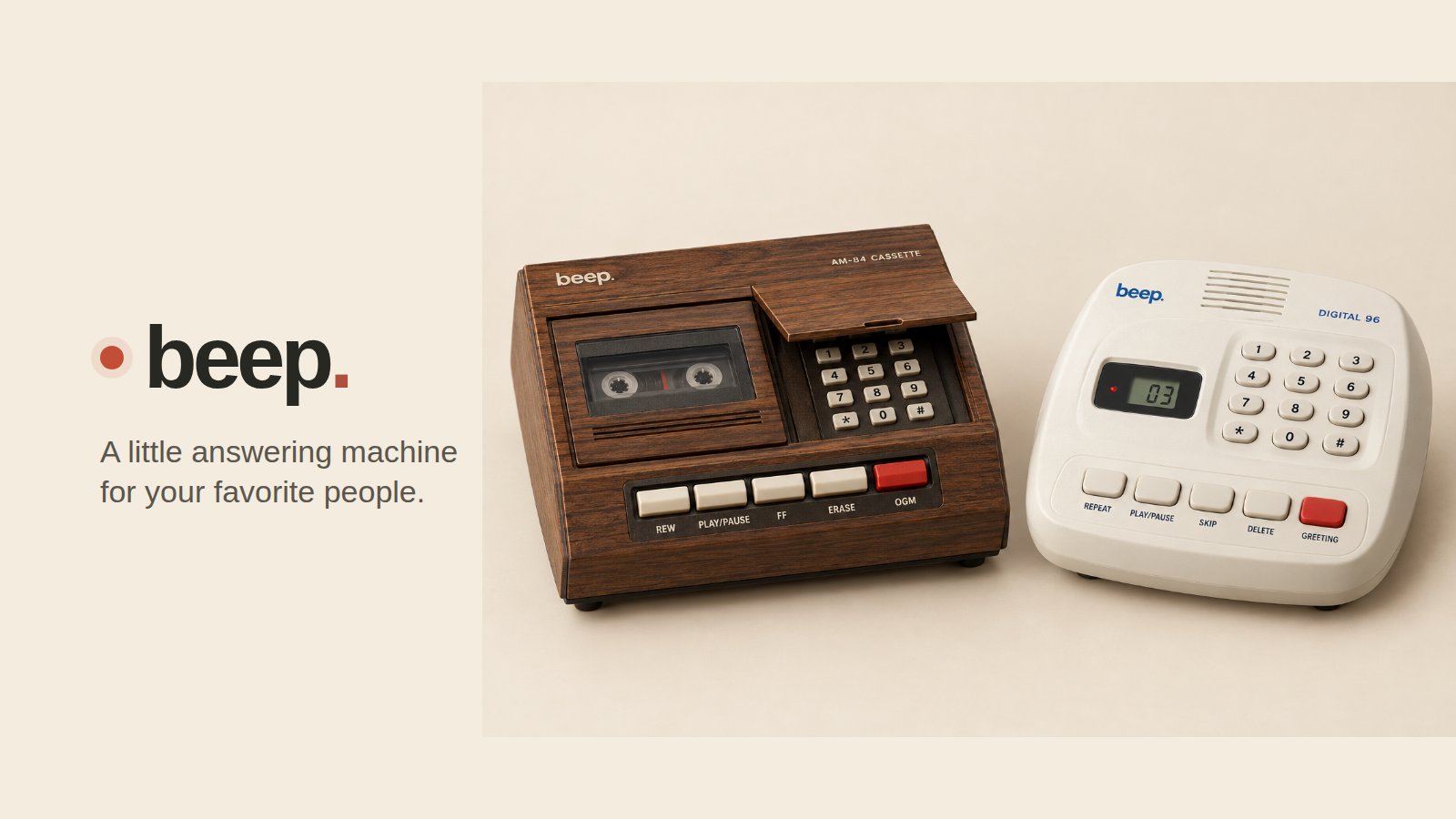
Beep brings back the answering machine for you and your friends. Dial a friend's number, hear their greeting, wait for the beep and leave a message; on their machine a light blinks and the counter goes up. Pick a wood-grain 80s cassette machine or a cream 90s digital one. Why not just send a voice note? In a chat app your voice lands between links, memes and other threads, a play button that wants an answer. Beep gives the voices you love a place of their own: one machine, one blinking light, only friends you accepted. No “seen at”, no typing dots: hear it when you're ready. The greeting and the beep are the point: you hear them before you speak. GRANDMA keeps up to two minutes; BRO sends thirty seconds that are gone after a day. A phone call needs you both free at once, voicemail is buried behind spam, voice notes get lost in the chat. With Beep you say it when you think of them, and they hear it when they're ready.
What to test in build 0.4.17
Fixed: a greeting always plays with the effect it was recorded with, even right after you move the OGM switch or record a new one, and the playback after recording now has that effect too. The way to your account is a button at the bottom.
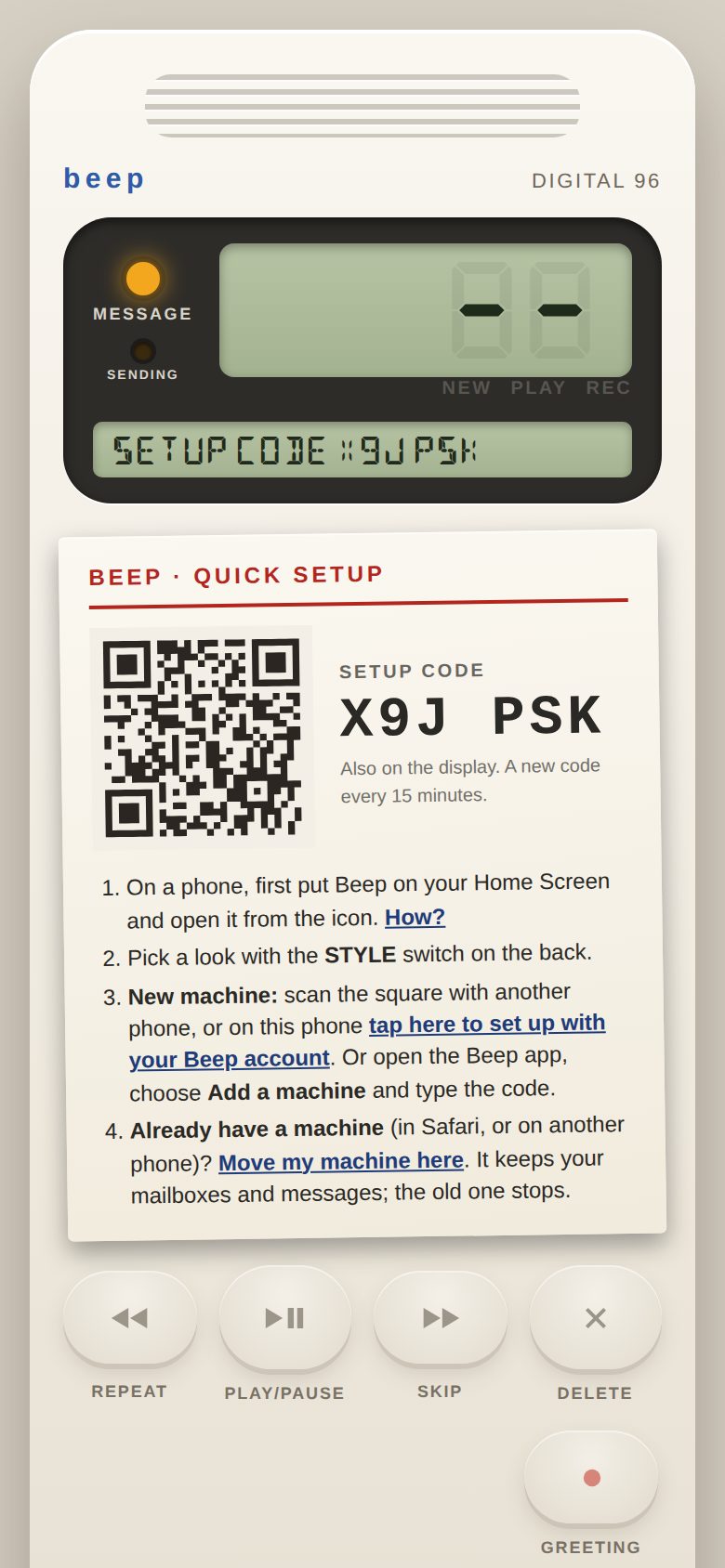
- Setting upTap Set up with my Beep account on the machine's setup card, create your account in the Beep app and finish setup. Was any step confusing?
- Becoming friendsDial a friend's 4-digit number (or ask them in the app) and have them accept. Did you understand why a call didn't go through before they accepted?
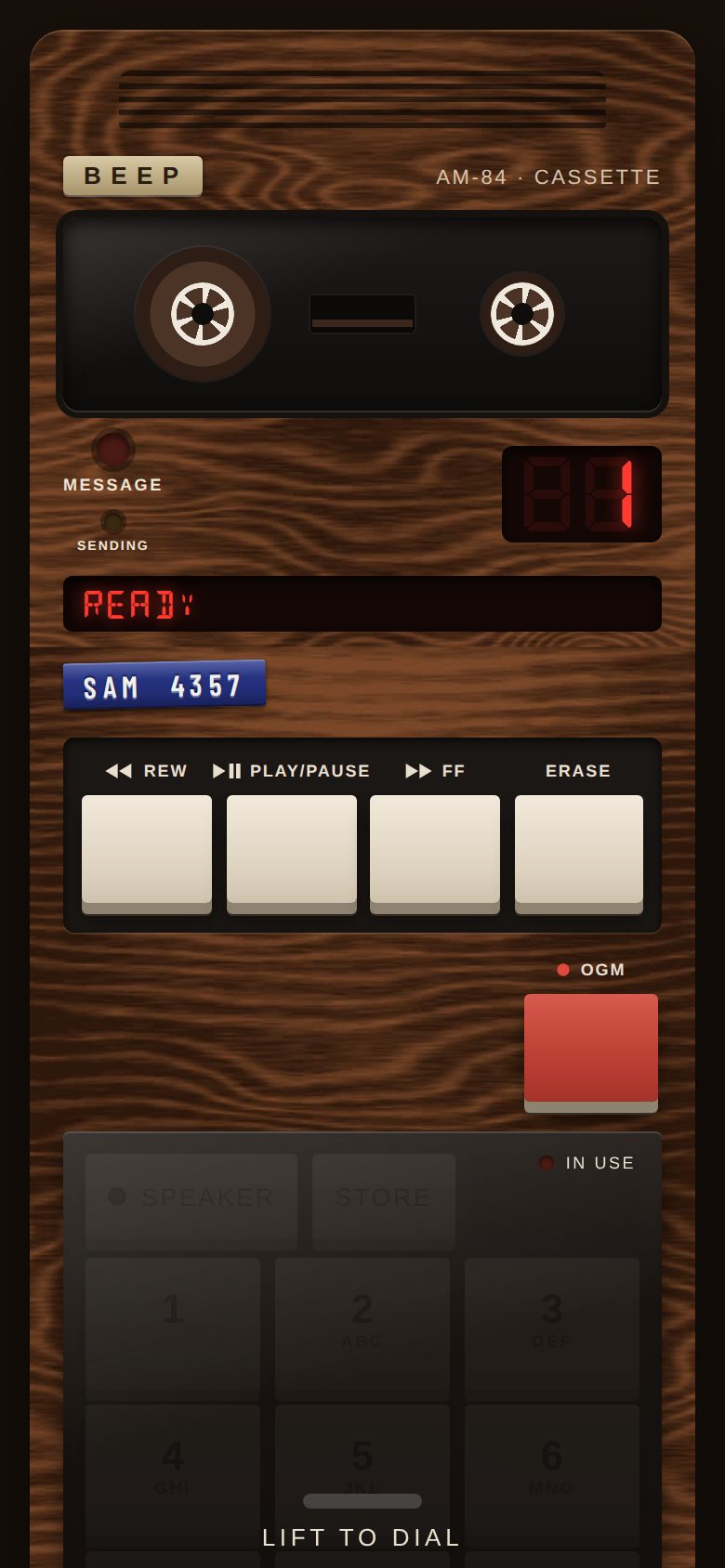
- Leaving a messageOpen the keypad cover, press SPEAKER, dial a friend, wait for the beep and talk; press SPEAKER to send. Try the EFFECT switch under the cover (on Beep Plus). Did it feel different from sending a voice note?
- Listening and erasingWhen the light blinks, press PLAY. Try REW, FF and ERASE (press it twice). Did the buttons do what you expected?
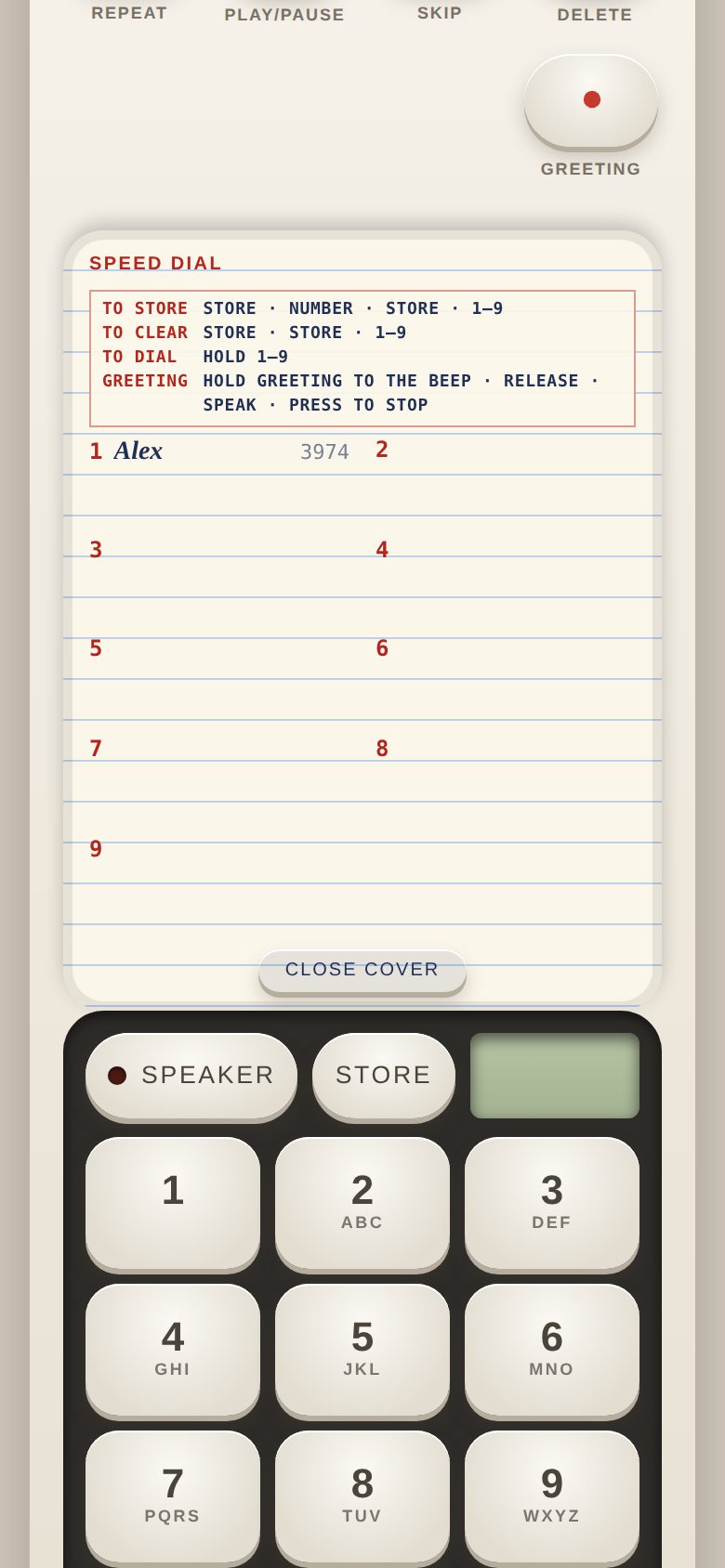
- Your greeting and speed dialHold OGM (GREETING on the 90s machine) until the long beep, release and speak, then press it again; on Beep Plus the OGM switch beside it picks which of three greetings you record into and callers hear. Store a friend on a speed-dial button with STORE, their number, STORE, 1 to 9.
- 80s or 90sFlip the STYLE switch on the back panel and use both machines for a while. Which one do you keep coming back to, and why?
- Voice filters and musicOn Beep Plus, set the EFFECT switch under the keypad cover to slot 1, 2 or 3 (choose each slot's effect in the Beep app), then have a friend call you and leave them a message. Which effects would you actually use?
Screenshots
Known issues
Already on our list, so no need to report these.
- A machine set up inside the playtest is a separate machine from one at machine.beep.nguyenwarestudios.com.
- ALERTS (notifications) may not work inside the playtest; keep the machine open to see new messages.
- On iPhone the very first tap after opening may make no sound.
- Your friends, greetings and messages are managed in the Beep app (app.beep.nguyenwarestudios.com), which opens in a new tab.
How to give feedback
- Play the build in your browser. No install needed.
- Tap the Feedback button in the corner whenever something is confusing, broken or fun. It grabs a screenshot so you don't have to describe everything.
- Answer a few quick questions when you finish a session.