Circuit Bent Prototype
Open up a talking toy and rewire its voice.
- puzzle, music toy
- About 10 min a session
- Ages 8+
- Plays on tablet, phone, desktop
- Controls: touch, mouse, keyboard
Prototype phase: play Circuit Bent at least once now and you get a free unlock of it.
About Circuit Bent
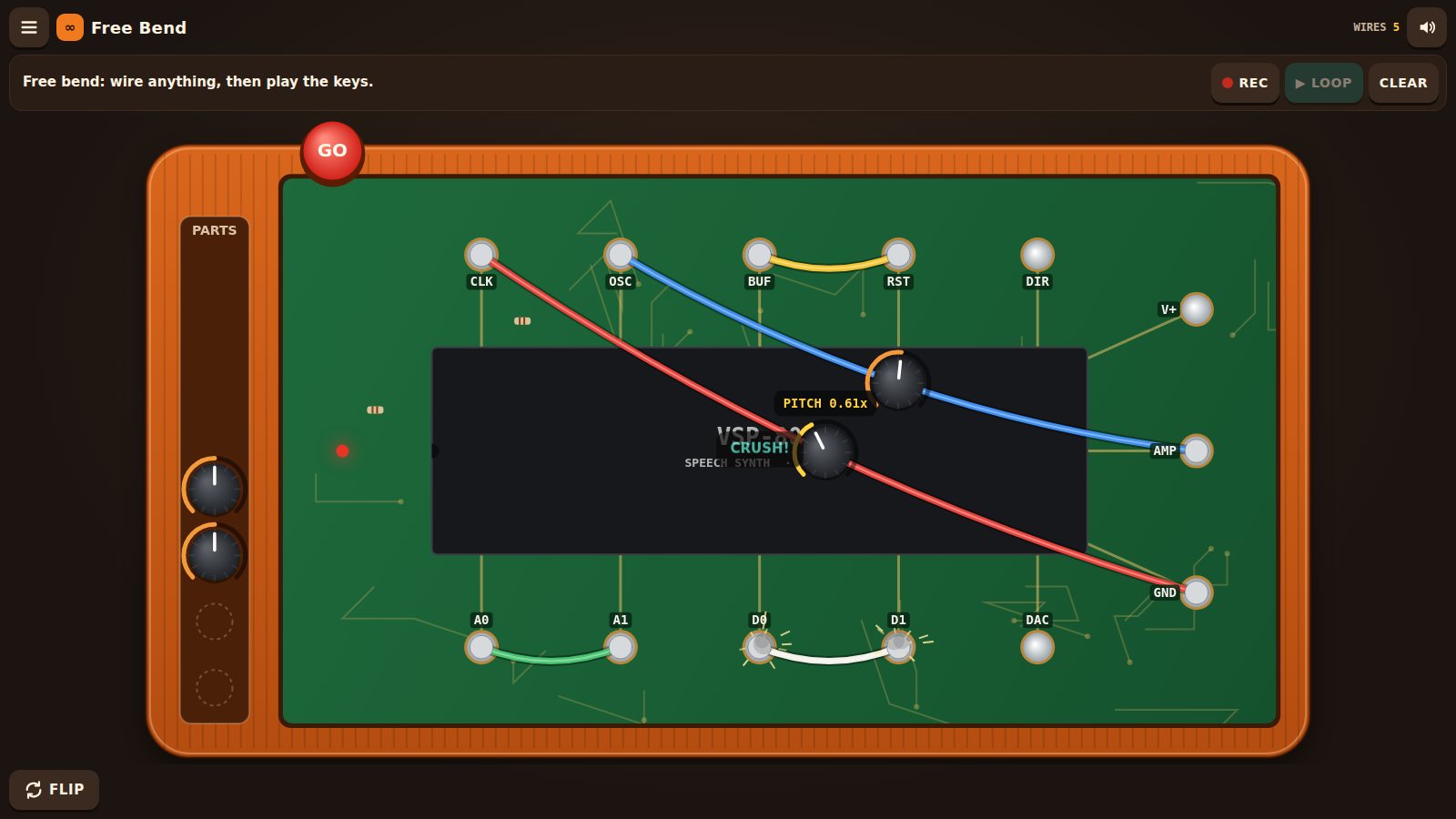
In the 1980s, musicians opened up talking toys and rewired them until the voices glitched. Here you do it to an orange talking spelling toy: flip it over, unscrew the back and drag wires between solder points to make it stutter, squeak, go deep, play backwards or get stuck humming. Ten short puzzles ask for a target sound, and Free Bend turns the toy into an instrument you can record loops on.
What to test in build 0.1.3
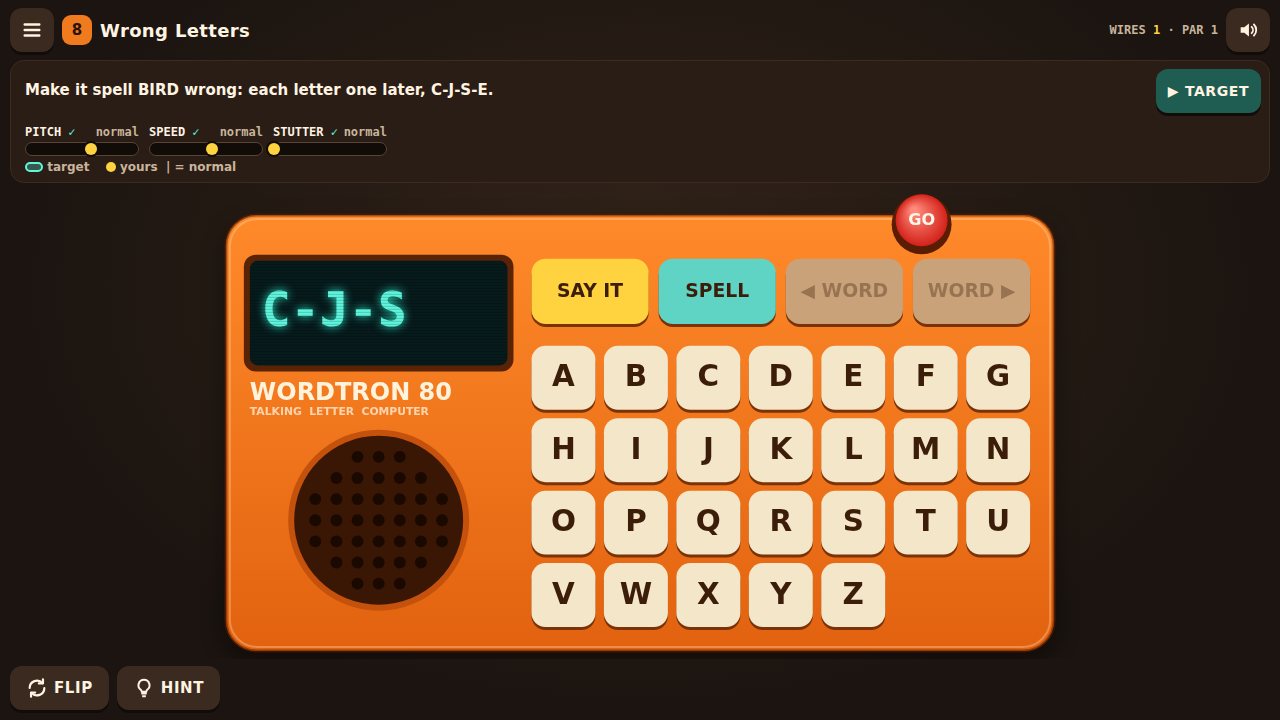
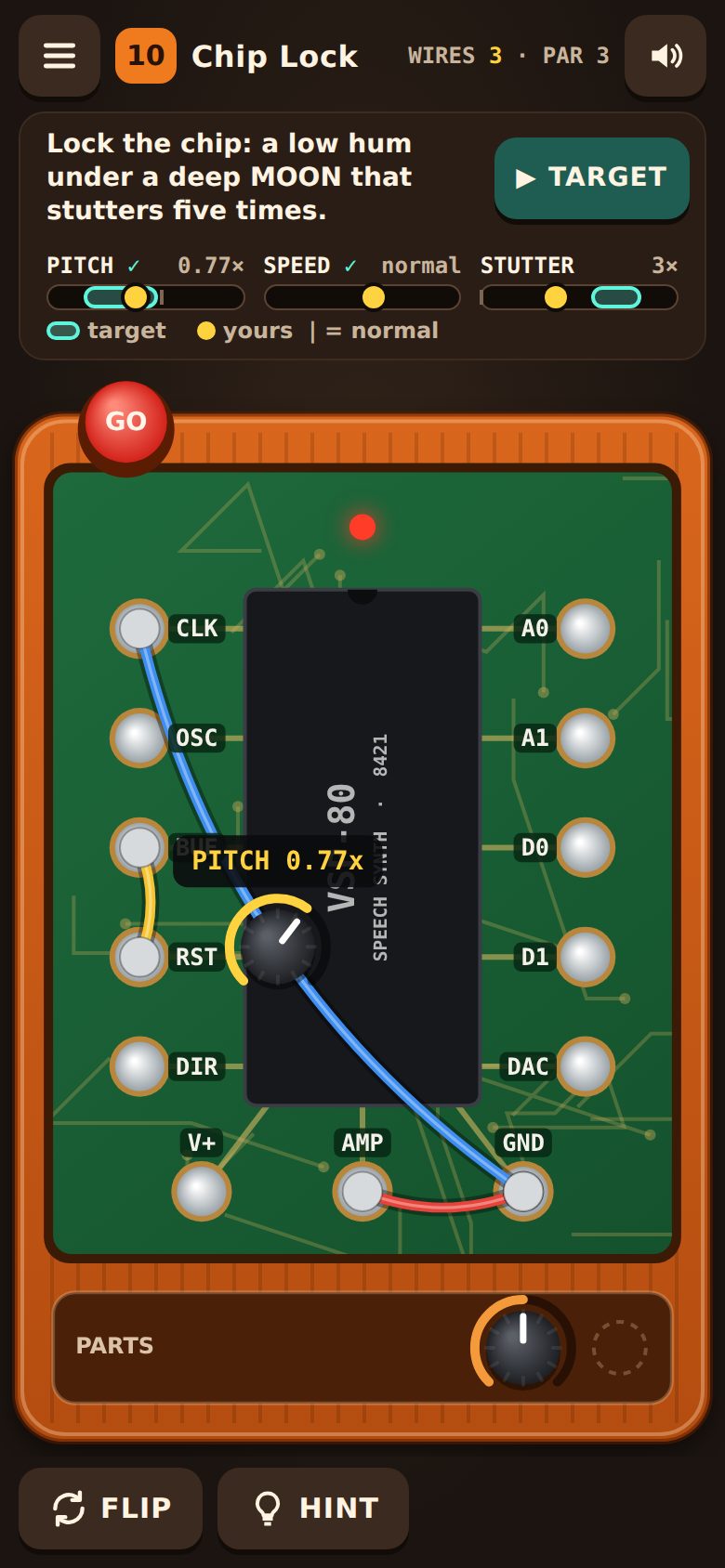
A sound meter under the goal shows the target and your pitch, speed and stutter, so puzzles work with the sound off. TEXT SIZE in the menu makes all words bigger, on the toy too. Solder points and screws work from the keyboard. Levels 9 and 10 now need their knobs. Tapping a short wire next to a pin cuts it. Recorded sounds for wiring, sparks, cuts, screws and flipping.
- Play with the sound offMute the toy and try a few puzzles using only the meter under the goal (PITCH, SPEED, STUTTER). Could you tell what the target wanted and how close you were? Was the check mark clear?
- Knobs on levels 9 and 10Level 9 now wants a higher metal ring and level 10 a five-times stutter, so each needs a knob. Did you notice the knob mattered? While you hold a knob, does the sound change as you turn it?
- Cutting short wires on a phoneWire BUF to RST (a short wire), then tap the wire close to one of its ends. Did it cut the wire, or pick the pin? Did dragging from a pin still start a new wire?
- Hints and messages in the wayOn a phone, did the yellow tips or the message after a wrong GO ever cover GO, the parts tray or a screw you needed?
- Bigger textOpen the menu and press TEXT SIZE (×1.25, ×1.5). Is everything readable, on the toy too, and does anything get cut off or need sideways scrolling? Try zooming the page as well.
- Keyboard onlyOn a computer, play a level without the mouse: Tab to the screws and solder points, Enter to pick and connect, Delete to cut, + to add a knob, arrows to turn it. Could you always see where you were?
- New soundsPlugging in wires, sparks, cutting, screws, the panel, flipping the toy and the keys now use recorded sounds. Do they fit the toy? Are any too loud or too quiet?
- Leaving mid-checkPress GO and go straight back to the menu before the toy finishes talking. Does the menu stay put, with no result popping up?
Screenshots
Known issues
Already on our list, so no need to report these.
- Sound starts after your first tap; browsers require that. On iPhone the toy plays even on silent and pauses music from other apps while sound is on.
- The sound meter shows pitch, speed and stutter only; the other bends (ring, hum, crunch, loop, backwards, scramble) are heard, not shown.
- On very small or very zoomed screens the letter keys get small (about 30 px).
- Hint wording and the knob ranges are first guesses and will change with your feedback.
- Free Bend loops record what you played (keys and bends), not the audio, and only one loop is kept, in this browser only.
- Progress and the text size are saved in this browser only and reset if you clear site data.
- No vibration on iPhone; browsers there don't allow it.
How to give feedback
- Play the build in your browser. No install needed.
- Tap the Feedback button in the corner whenever something is confusing, broken or fun. It grabs a screenshot so you don't have to describe everything.
- Answer a few quick questions when you finish a session.
Kids and families
Kids can play with a parent's account. A parent signs up first and adds them from the account page. We email the parent exactly what we collect, and nothing is collected until they confirm.